Authentication
This guide explains how to authenticate with the Mandaitor API, manage your API keys, and follow security best practices for production deployments.
Authentication Methods
Mandaitor supports multiple authentication methods:
| Method | Header | Use Case |
|---|---|---|
| API Key (via SDK) | Authorization: Bearer <tenantId>:<apiKey> | Server-to-server communication, SDK usage |
| Cognito JWT | Authorization: Bearer <cognitoToken> | Dashboard, widget configuration, admin operations |
| EUDI Wallet | OpenID4VP session flow | eIDAS 2.0 identity verification (HIGH assurance) |
| Auth0 JWT | Authorization: Bearer <auth0Token> | Customer-facing app authentication |
| Okta JWT | Authorization: Bearer <oktaToken> | Enterprise workforce authentication |
| Entra ID JWT | Authorization: Bearer <entraToken> | Microsoft ecosystem authentication |
| Agent session | Authorization: DPoP mcp_… with a DPoP proof; Bearer mcp_… at the MCP server too | An agent asking Mandaitor to act, through the execution API or the MCP server |
For server-to-server calls about mandates and decisions, API Key authentication via the SDK is the recommended approach. The SDK automatically formats the Authorization: Bearer tenantId:apiKey header.
An agent that asks Mandaitor to act never uses an API key. It authenticates as itself, with a key only it holds, and gets a short-lived session from the MCP Authorization Server. The execution API and the MCP server refuse API keys.
For identity-verified mandates, see the Identity Integration section for EUDI Wallet, Auth0, Okta, and Microsoft Entra ID setup guides.
Obtaining an API Key
API keys are provisioned during the tenant onboarding process. You can manage active, staging, and revoked keys from the tenant dashboard before wiring them into your SDK or server-side integration.
- Desktop
- Mobile
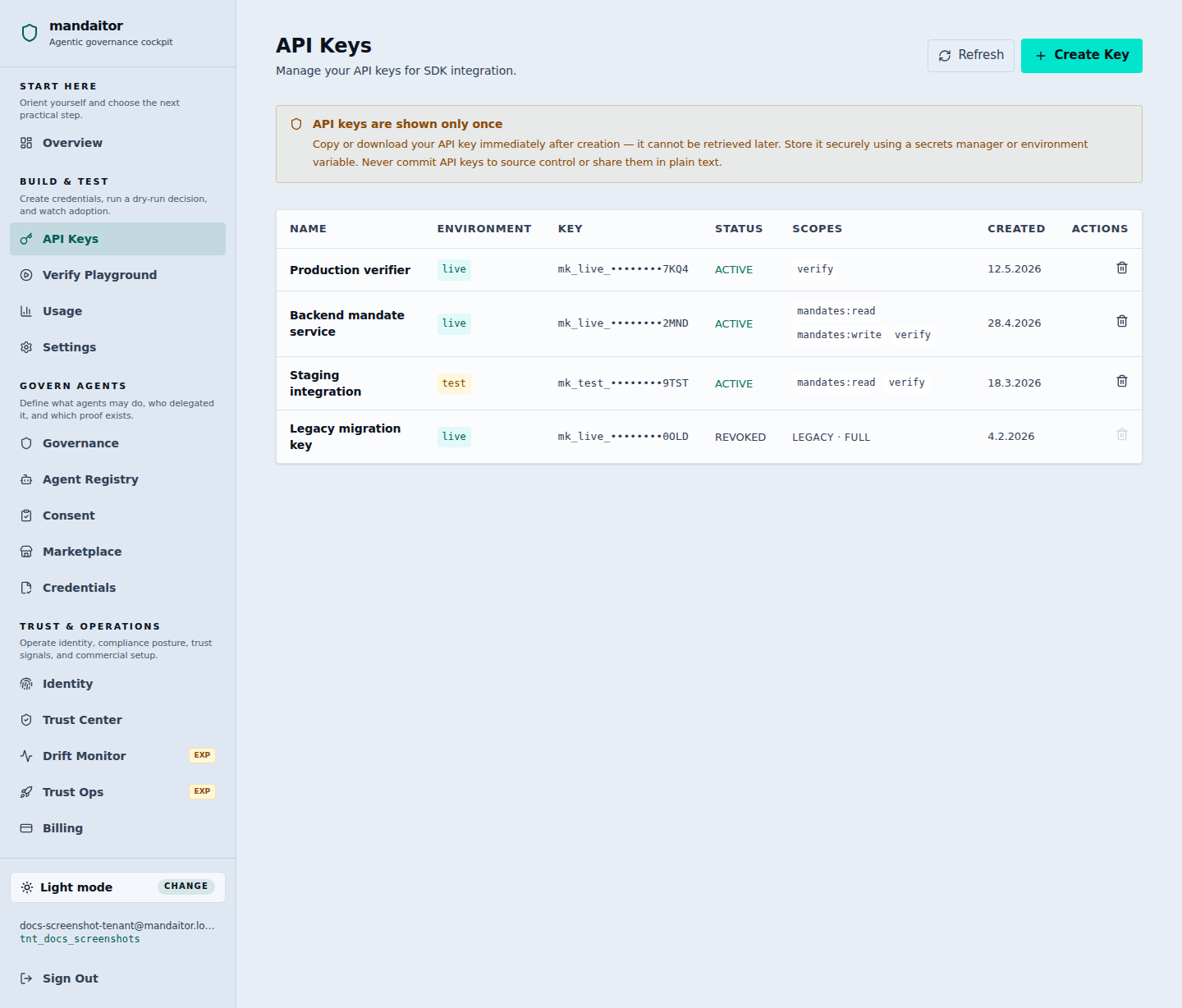
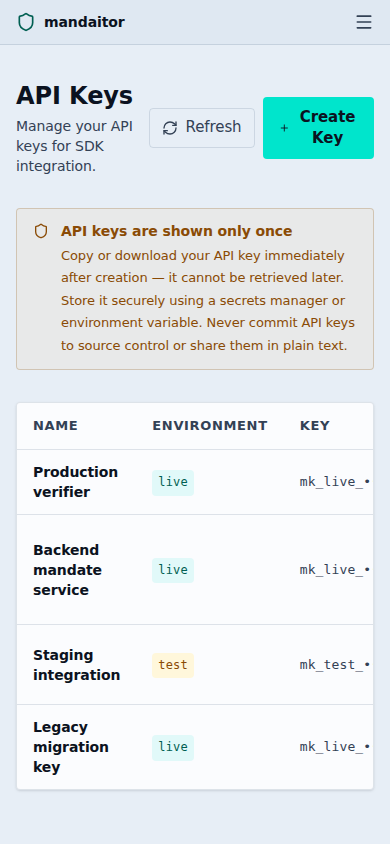
After your tenant is activated, you can generate additional keys via the API:
curl -X POST https://api.mandaitor.io/v1/tenants/{tenantId}/api-keys \
  -H "Authorization: Bearer $COGNITO_TOKEN" \
  -H "Content-Type: application/json" \
  -d '{
    "name": "production-key",
    "scopes": ["mandates:read", "mandates:write", "verify"]
  }'
The response contains the API key, which is only shown once:
{
  "key_id": "key_01HXY...",
  "api_key": "mk_test_<PASTE-YOUR-KEY-HERE>",
  "name": "production-key",
  "scopes": ["mandates:read", "mandates:write", "verify"],
  "created_at": "2025-01-15T10:30:00Z"
}
Important: Store your API key securely immediately after creation. It cannot be retrieved again.
API Key Scopes
Each API key can be scoped to specific operations. Available scopes are:
| Scope | Permissions |
|---|---|
mandates:read | List and retrieve mandates |
mandates:write | Create, revoke, suspend, and reactivate mandates |
verify | Verify actions against mandates |
events:read | List and retrieve audit events |
tenants:admin | Manage tenant settings, widget configuration, API keys, and tenant access policy |
Follow the principle of least privilege: only grant the scopes that a specific key actually needs. For example, a verification-only service should use a key with only the verify scope.
Tenant RBAC Permissions
Dashboard and identity-provider JWT callers are evaluated against tenant-aware RBAC permissions after the authorizer resolves their canonical subject ID. Tenant assignments can be managed from the dashboard Access Management page or through the role-assignment API. The two tenant administration permissions are intentionally narrow:
| Permission | Allows | Typical role |
|---|---|---|
tenant:read | View tenant role assignments, tenant-scoped metadata, and access-governance state. | tenant_viewer, tenant_auditor, tenant_admin |
tenant:write | Create, update, or revoke tenant role assignments and other tenant-owned administration records. | tenant_admin |
A role assignment binds a canonical subject_id such as eudi:DE/1234567890abcdef, oidc:okta:00u1234abcdef, or cognito:a1b2c3d4-e5f6 to tenant roles such as tenant_auditor, tenant_operator, or tenant_viewer. Mandaitor stores the effective permission set for that assignment and enriches the caller context at authorization time. Tenant administrators cannot assign platform_admin or platform:* permissions through this surface; those remain reserved for Mandaitor platform operations.
Role-assignment changes are audit-significant. Successful updates emit TENANT_ROLE_ASSIGNED; revocations emit TENANT_ROLE_REVOKED. These events make access-policy changes reviewable alongside mandate, verification, and evidence-export events.
The tenant dashboard applies the same permission vocabulary before rendering protected tenant areas. Navigation entries for API keys, verification, governance, drift monitoring, trust operations, billing, and Access Management are shown only when the current session has a matching tenant permission. The Access Management page remains readable with tenant:read, while create, update, and revoke actions require tenant:write; the dashboard also prevents accidental self-revocation of the active assignment.
Using the SDK
The Mandaitor SDK handles authentication automatically. Pass your API key when initializing the client:
import { MandaitorClient } from "@mandaitor/sdk";

const client = new MandaitorClient({
  apiKey: process.env.MANDAITOR_API_KEY,
  tenantId: "tnt_your_tenant_id",
});
The SDK automatically includes the Authorization: Bearer tenantId:apiKey header in all requests.
Security Best Practices
Never expose keys in client-side code
API keys must be kept on the server side. Never include them in frontend JavaScript, mobile apps, or public repositories.
// ❌ Bad: API key in frontend code
const client = new MandaitorClient({
  apiKey: "mk_test_<PASTE-YOUR-KEY-HERE>", // Exposed to anyone viewing source
  tenantId: "tnt_123",
});

// ✅ Good: API key on the server, proxy requests from frontend
// Server-side (Node.js / Express)
app.post("/api/verify", async (req, res) => {
  const result = await client.verify(req.body);
  res.json(result);
});
Use environment variables
Store API keys in environment variables, not in code:
# .env (never commit this file)
MANDAITOR_API_KEY=mk_test_<PASTE-YOUR-KEY-HERE>
MANDAITOR_TENANT_ID=tnt_...
const client = new MandaitorClient({
  apiKey: process.env.MANDAITOR_API_KEY!,
  tenantId: process.env.MANDAITOR_TENANT_ID!,
});
Rotate keys regularly
Create new API keys periodically and revoke old ones. This limits the impact of a potential key compromise.
A recommended rotation workflow:
- Generate a new API key with the same scopes.
- Update your application configuration to use the new key.
- Deploy the updated configuration.
- Verify that the new key works correctly.
- Revoke the old key.
Use separate keys per environment
Maintain separate API keys for development, staging, and production environments. This ensures that a compromised development key cannot affect production data.
Monitor API key usage
Review your audit logs regularly to detect unusual activity patterns. Mandaitor records all API calls with the associated key ID in the audit trail.
Error Responses
Authentication failures return a 401 Unauthorized response:
{
  "error": "UNAUTHORIZED",
  "message": "Invalid or missing API key"
}
Common causes:
- Missing
Authorizationheader - Invalid or revoked API key
- Malformed Bearer token (expected format:
Bearer tenantId:apiKey) - API key does not have the required scope for the requested operation
For more details on error handling, see the Error Handling Guide.